

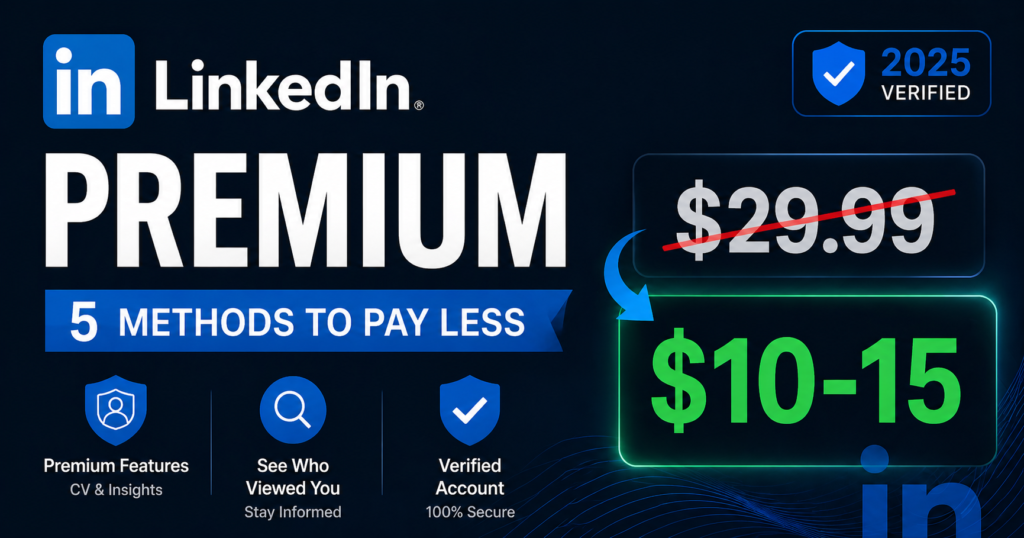
LinkedIn Premium Cheap —
5 Legitimate Ways to Pay Less in 2025
LinkedIn Premium starts at $29.99 per month. That is $360 every year — and the Business plan reaches $720. Before you pay full price, there are 5 completely legitimate, officially-supported ways to reduce that cost significantly. No workarounds. No grey areas. Just real savings that LinkedIn itself makes available.
- Annual billing: Saves 20–33% on every plan — Career drops from $29.99 to ~$19.99/month
- Free 1-month trial: Full Premium access at zero cost — once per 12 months
- US Veterans program: 12 full months of Premium Career completely free — officially from LinkedIn
- Employer benefits: Many companies pay for LinkedIn Premium — most employees never ask
- University partnerships: Some institutions provide free LinkedIn access — worth checking
What you are actually paying for with LinkedIn Premium
LinkedIn has over 1.1 billion members and growing — and Premium is built around one core idea: giving serious professionals tools that free accounts simply cannot access. The price reflects that LinkedIn positions these as business tools, not entertainment subscriptions. When the features are used consistently and strategically, the ROI is real. When they are not, it feels expensive — because it is.
Understanding exactly what each plan offers is the first step to figuring out whether you need Premium at all, and if you do, which plan is actually right for your situation — because choosing the wrong plan at any price is still a waste of money.
LinkedIn Premium plans — what each one costs and does
LinkedIn currently offers multiple paid plans. Here is a clear, honest breakdown of what matters for most professionals in 2025:
| Plan | Monthly | Annual rate | Best for | Key features |
|---|---|---|---|---|
| Premium Career Job seekers | $29.99 | ~$19.99/mo | Active job hunters | 5 InMails/mo · Profile viewers 365 days · Top Applicant badge · Salary insights · LinkedIn Learning |
| Premium Business | $59.99 | ~$39.99/mo | Networkers, freelancers | 15 InMails/mo · Unlimited profile browsing · Company insights · Open Profile · Learning |
| Sales Navigator Core B2B sales | $99.99 | ~$79.99/mo | Sales professionals | 50 InMails/mo · 30+ search filters · Lead recommendations · CRM integration · Account insights |
| Recruiter Lite | ~$170 | Varies | Hiring managers | 30 InMails/mo · Advanced candidate search · Pipeline management · Smart suggestions |
5 legitimate ways to get LinkedIn Premium cheaper
Every method below is officially supported by LinkedIn. No workarounds, no terms of service violations, no risk to your account. These are the real options available to you right now.
This is the most overlooked saving on LinkedIn — and it requires zero eligibility, zero applications, and zero complexity. Switching from monthly to annual billing reduces Premium Career from $29.99 to approximately $19.99 per month, saving $120 every year. Premium Business drops from $59.99 to approximately $39.99 per month annually, saving $240 per year. It is a single setting change that immediately cuts your LinkedIn bill by a fifth to a third — permanently, for as long as you stay subscribed.
The only consideration is upfront commitment — you pay the full year at once. For anyone planning to use LinkedIn Premium for six months or more, annual billing breaks even before the halfway point and delivers pure savings after that.
- 1Log into LinkedIn and click your profile picture → Settings & Privacy → Subscriptions & payments → Manage Subscription.
- 2Look for the billing frequency option — select Annual billing. The page will show your new effective monthly rate and the total annual charge.
- 3For Premium Career: annual billing is approximately $239.88/year ($19.99/month effective) vs $359.88/year monthly. That is $120 saved immediately.
- 4Confirm the switch. LinkedIn prorates any remaining monthly subscription credit toward your annual plan.
- 5Pro tip: If you are on a free trial right now — switch to annual billing before the trial ends. This locks in the annual rate starting from your first paid month rather than starting monthly and switching later.
LinkedIn offers a standard 1-month free trial for most Premium plans — Career, Business, and Sales Navigator. The trial gives you full, unrestricted access to every Premium feature for 30 days at no charge. This is officially available to users who have not used a LinkedIn free trial in the past 12 months. The key is using those 30 days deliberately — not just browsing around and forgetting about it.
The free trial is also your best evaluation tool. LinkedIn Premium is genuinely useful for some professionals and genuinely unnecessary for others. The trial lets you discover which category you fall into before committing hundreds of dollars per year.
- 1Visit linkedin.com/premium and click “Start my free month.” Choose your plan, enter payment details. You will not be charged for 30 days.
- 2Day 1–5: Immediately use the profile viewer feature — see who has viewed your profile in the past 365 days and reach out to relevant connections.
- 3Day 1–10: Use all 5 InMail credits on your highest priority contacts. Run advanced searches and save the results. Test every feature you think you might use.
- 4Day 25: Decide whether to continue. LinkedIn sends a reminder email 7 days before the trial ends — but set your own calendar alert too, especially if you subscribed on mobile (mobile subscribers do not always receive email reminders).
- 5If continuing — switch to annual billing now (before the trial ends) to start at the lower annual rate from your first paid month.
- 6If cancelling — go to Settings & Privacy → Subscriptions & payments → Cancel at least 24 hours before your trial expires. You retain access until the trial period ends even after cancelling.
This is LinkedIn’s most generous official program and one of the least known. LinkedIn for Veterans offers US military veterans and active service members a full 12-month LinkedIn Premium Career subscription at absolutely no cost — including complete access to LinkedIn Learning’s entire course library. Military spouses who are moving due to a permanent change of station or within six months of separation are also eligible.
The program exists because LinkedIn recognises the genuine challenge of transitioning from military to civilian professional life. The free year gives veterans the full suite of tools — InMail, profile viewer insights, salary data, Top Applicant status, and thousands of learning courses — during the period when those tools have the highest impact on career outcomes.
- 1If you currently have a LinkedIn Premium subscription or active free trial, cancel it first and let it expire. You must not have an active paid subscription before applying.
- 2Before applying, update your LinkedIn profile to reference your military service in your experience section. This helps the verification process.
- 3Visit socialimpact.linkedin.com/programs/veterans and complete the verification form. You will need your name, branch of service, and service dates.
- 4Verification is handled through SheerID and typically completes quickly — often without needing to upload documents, just confirming your service details.
- 5Once confirmed, LinkedIn sends a promotional link to upgrade your account to Premium Career at no charge for 12 months. The subscription does not auto-renew — after 12 months, your account simply returns to the free tier unless you choose to subscribe.
- 6Military spouses: Access the program through the US Department of Defense’s Spouse Education and Career Opportunities (SECO) partnership with LinkedIn. Eligibility applies within 6 months of separation or during a permanent change of station.
A significant number of companies — particularly in sales, recruitment, marketing, consulting, and professional services — provide LinkedIn Premium or Sales Navigator as part of employee benefits or professional development budgets. This benefit is frequently available but rarely advertised. Most employees who are eligible simply never ask. The worst that can happen is your employer says no. The best that can happen is you pay $0/month for a tool that would otherwise cost you $360–$1,200 per year.
Beyond direct employer provision, Microsoft alumni networks and certain professional associations sometimes offer significant LinkedIn Premium discounts to their members — worth checking if you qualify.
- 1Start with a direct conversation — ask your manager or HR department if LinkedIn Premium or Sales Navigator is available as a professional development benefit or as part of your role’s toolset.
- 2Frame it in terms of business value: “I’d use LinkedIn Premium to find more clients / source candidates faster / stay informed about industry trends.” A clear use case makes the yes much easier.
- 3If your employer does not currently offer it, ask whether they have a professional development budget that could cover it. Many companies have annual learning and tools budgets that employees rarely tap into fully.
- 4Freelancers and self-employed: LinkedIn Premium used for business development and client prospecting is typically a legitimate business expense — consult your accountant or tax advisor about deducting the subscription cost.
- 5Check any alumni networks you belong to — Microsoft alumni in particular have offered significant Premium discounts historically. Professional associations in your industry sometimes negotiate group rates as member benefits.
Although LinkedIn discontinued its official student pricing plan in early 2025, a separate avenue still exists through institutional partnerships. Some universities have agreements with LinkedIn that provide students free or subsidised access to LinkedIn Premium features or LinkedIn Learning during their enrolment. These partnerships are not widely advertised — they are typically managed through the university’s career centre or IT department.
Additionally, public library cards in many countries provide free access to LinkedIn Learning’s full course library — over 22,000 courses covering business, technology, design, and creative skills. This does not include LinkedIn Premium features like InMail or profile insights, but for anyone whose primary interest in Premium is the learning content, a library card may be all you need at zero cost.
- 1For students: Contact your university’s career centre directly and ask whether the institution has a LinkedIn Premium partnership. Many universities do not publicise this even when it exists.
- 2Also check your university’s IT portal or student benefits page — LinkedIn access is sometimes listed under digital tools or software licenses available to students.
- 3If your university does not currently have a partnership, ask them to explore one — LinkedIn actively partners with educational institutions and many partnerships are established through institutional requests.
- 4For LinkedIn Learning via library card: Visit your public library’s website and look for digital resources or online learning. Many libraries offer LinkedIn Learning access through platforms like Libby or directly through the library’s digital member portal.
- 5Access LinkedIn Learning at linkedin.com/learning and select “Sign in with your library card” if your library participates. You will get full access to all 22,000+ courses at no personal cost.
Is LinkedIn Premium actually worth it for you?
Before paying for any plan — even at a discounted rate — the honest question is whether your usage pattern justifies the cost. LinkedIn Premium has clear, specific use cases where it pays for itself and others where the free account is entirely sufficient.
What no longer works — important to know
Several LinkedIn Premium discounts that used to exist have been removed. Knowing what is gone saves you from wasting time chasing methods that no longer apply:
- Student pricing plan removed (early 2025): LinkedIn shut down its official discounted student plan. There is no longer a special “LinkedIn for Students” tier — all users including students pay standard rates or access free trial options.
- Amazon Prime bundle ended: LinkedIn previously offered discounted Premium as part of Amazon Prime membership. This partnership has ended and is no longer available.
- Promo codes do not exist: LinkedIn does not issue discount codes. Any website claiming to offer “LinkedIn coupon codes” or “promo codes” is either showing expired, fake, or misleading offers. In some cases these sites are actively phishing for LinkedIn credentials — avoid them entirely.
- Extended free trials no longer broadly available: LinkedIn used to offer 2–3 month extended trials in some markets. The standard trial is now 1 month for all users, available once every 12 months.
How to get the most out of whichever plan you choose
Paying for LinkedIn Premium is only half the equation. The people who genuinely get value from it are the ones who build specific habits around its features — not just the ones who have the subscription badge on their profile.
If you are on Premium Career (job seeking)
- Check profile viewers weekly and reach out to recruiters or hiring managers who have viewed your profile — this is the highest-conversion outreach you can do on LinkedIn
- Use InMail credits on decision-makers at companies you genuinely want to work at — not as cold outreach, but as a warm introduction tied to something specific about the role or company
- Review the “Top Applicant” insights on job listings to understand how your profile compares and optimize accordingly
- Set up a weekly alert for salary insights in your target role — LinkedIn’s salary data is one of the most accurate publicly available sources
If you are on Sales Navigator
- Save a lead list of 50–100 target accounts in your first week and set alerts for job changes and company news — these trigger conversation openers that feel natural rather than cold
- Use the “Relationship Explorer” feature to find warm paths into target accounts through shared connections
- Spend your InMail credits on prospects who have engaged with LinkedIn content recently — their activity signals they are active on the platform and more likely to respond
- Connect Sales Navigator to your CRM from day one so your outreach activity is captured automatically
If you are on a free trial
- Export or note down every piece of insight from profile viewers and advanced searches — you lose access to this data the moment your trial ends
- Use all InMail credits within the first 2 weeks — unused credits do not carry over after the trial
- Specifically test the features most relevant to your use case rather than exploring everything randomly — you want a clear yes or no answer by day 25
Frequently asked questions
The most accessible saving for everyone is annual billing — LinkedIn Premium Career drops from $29.99/month to approximately $19.99/month, saving $120/year with no eligibility requirements. For US military veterans and active service members, LinkedIn’s Veterans Program provides a full 12 months of Premium Career free of charge — the most generous official discount available. Employees should also check with their employer, as many companies provide LinkedIn Premium as a professional development benefit that most employees never claim.
Visit socialimpact.linkedin.com/programs/veterans and complete the verification form. You’ll need your name, branch of service, and service dates. Verification is handled through SheerID and typically goes through quickly. You must cancel any existing Premium subscription or active free trial before applying. Once verified, LinkedIn provides a link to upgrade to Premium Career at no cost for 12 full months, including complete LinkedIn Learning access. Military spouses within six months of separation or moving due to a permanent change of station are also eligible through LinkedIn’s partnership with the US Department of Defense.
LinkedIn discontinued its dedicated student pricing plan in early 2025. There is no longer an official discounted plan for students. However, some universities have institutional partnerships with LinkedIn that provide students free or subsidised access — worth checking with your university’s career centre directly. All users including students can still access the standard 1-month free trial. Additionally, public library cards in many countries provide free access to LinkedIn Learning’s full course library, which covers a large portion of what students typically want from LinkedIn’s educational content.
Annual billing reduces Premium Career from $29.99/month to approximately $19.99/month — billed as a single annual charge of approximately $239.88. Premium Business drops from $59.99 to approximately $39.99/month annually. Sales Navigator Core goes from $99.99 to approximately $79.99/month annually. To switch, go to Settings & Privacy → Subscriptions & payments → Manage Subscription → select Annual billing. The saving is immediate and permanent for as long as you maintain the annual plan. Best practice: start with a free trial, then switch to annual billing before the trial ends so your first paid month is already at the lower annual rate.
Yes — and this is more common than most professionals realise. Companies in sales, recruiting, marketing, consulting, and professional services frequently provide LinkedIn Premium or Sales Navigator as part of employee toolsets or professional development budgets. Most employees who are eligible simply never ask. It is worth having a direct conversation with your manager or HR department about whether this benefit exists. Frame the request around specific business use cases — finding clients faster, sourcing candidates more effectively, or staying informed about industry trends. Freelancers and self-employed professionals should also consult a tax advisor about whether LinkedIn Premium qualifies as a deductible business expense in their jurisdiction.
It genuinely depends on your professional situation and how actively you use it. For active job seekers — InMail to recruiters, Top Applicant insights, and profile viewer data all have direct, measurable value during a job search. For B2B sales professionals — Sales Navigator Core is one of the most powerful outreach tools available and regularly delivers clear pipeline ROI. For casual LinkedIn users who log in occasionally and post updates — the free account handles everything they need. The honest benchmark: if you cannot name 3 specific Premium features you would use weekly, start with the free trial rather than committing to a paid plan.
LinkedIn shut down its official “LinkedIn for Students” pricing program in early 2025. The previously available discounted plan is no longer offered. LinkedIn has not publicly explained the specific reason for discontinuing the program. Students can still access the standard 1-month free trial available to all users, and some universities maintain institutional partnerships that provide students access — worth asking your career centre about.
No — LinkedIn does not issue traditional promotional or coupon codes for Premium. Websites claiming to have “LinkedIn coupon codes” or “promo codes” are showing either expired offers, fake codes, or in some cases, phishing attempts designed to capture your LinkedIn login credentials. Security reports have documented significant increases in fake LinkedIn discount sites being used for credential theft. The only real discounts on LinkedIn Premium come through the official programs described in this guide — annual billing, the Veterans program, employer benefits, and institutional partnerships. Do not enter your LinkedIn password on any third-party “discount code” site.
LinkedIn Premium — and 100+ other tools — at discounted prices
If none of the above programs apply to your situation, PremiumInCheap.com offers LinkedIn Premium alongside 100+ other digital subscriptions — Spotify, ChatGPT Plus, Adobe Creative Cloud, Microsoft 365, Canva Pro, and more — at significantly reduced prices with instant worldwide delivery.
More guides on PremiumInCheap
Disclaimer: LinkedIn Premium pricing and program availability change periodically. All details in this guide reflect information verified as of April 2025. LinkedIn for Veterans program eligibility and terms are set by LinkedIn and subject to change — always verify at LinkedIn’s official program pages before applying. PremiumInCheap.com is an independent reseller not affiliated with or endorsed by LinkedIn Corporation. Published April 20, 2025.
 _ $
_ $  _ ₹
_ ₹