

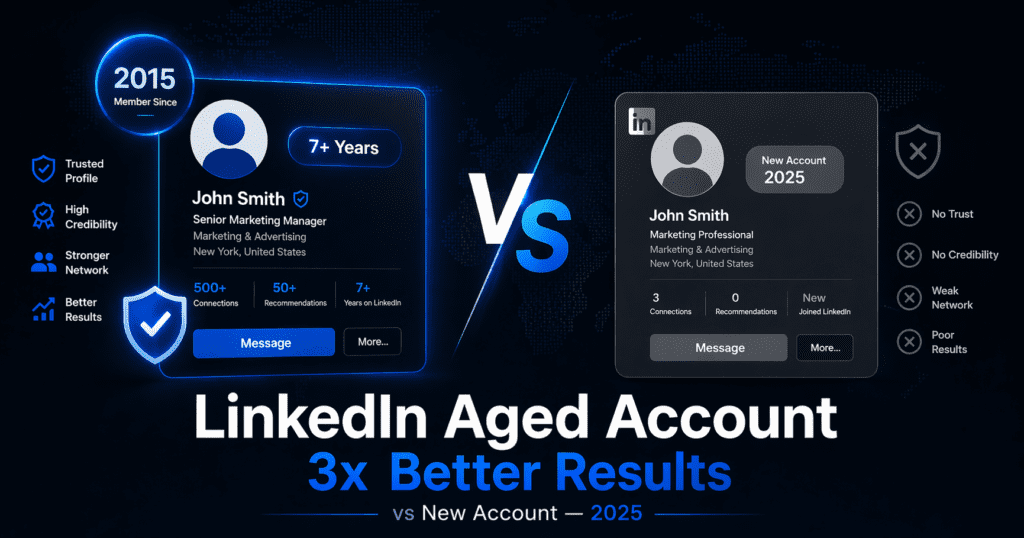
LinkedIn Aged Account vs New Account —
The Real Difference Nobody Talks About (2025)
If you have ever tried doing serious outreach on a brand new LinkedIn account, you already know the frustration — low acceptance rates, message caps, restricted features, and the feeling that LinkedIn is constantly watching your every move. There is a reason for all of that. And it has everything to do with how LinkedIn’s algorithm actually decides to trust an account.
What LinkedIn has become in 2025
LinkedIn crossed 1 billion users in 2023, and since then the platform has aggressively tightened its systems to manage the scale. Spam detection, bot crackdowns, and rate limiting have all intensified. For legitimate users trying to build a presence or run outreach, this creates a frustrating paradox — the platform is more powerful than ever for business, but increasingly harder to use effectively from a standing start.
The core issue is that LinkedIn now assigns every account an internal trust score. This score is not publicly visible, but it affects almost everything about how your account performs — how many connections you can send per day, whether your messages get delivered or filtered, how prominently you appear in search results, and how quickly restrictions kick in when you do outreach at any meaningful volume.
That trust score is built from multiple signals over time: account age, activity history, connection growth patterns, engagement behavior, login consistency, and more. A brand new account starts at the absolute bottom of that scale. An account that was created five years ago — even if it was mostly inactive — has a fundamentally different standing on the platform from day one.
How LinkedIn’s trust score actually works
Understanding the trust score system is the key to understanding why aged accounts behave so differently. LinkedIn has never officially documented how it works, but from observed behavior patterns, user reports, and research conducted by outreach professionals, these are the main signals that feed into account trust:
Account age
The creation date of your account is one of the most weighted signals. LinkedIn’s fraud detection is heavily focused on new account activity — bot farms and spammers almost always create new accounts. An account that was registered in 2017, 2019, or 2021 immediately bypasses the new-account suspicion threshold entirely. The platform simply treats it differently because its existence predates most of the bot activity LinkedIn is trying to filter out.
Activity history
Even light historical activity — occasional logins, some profile views, a handful of connections made over the years — contributes positively to an account’s behavioral profile. LinkedIn’s systems learn what “normal human behavior” looks like for an account over time. An aged account, even a mostly quiet one, has an established behavioral baseline that a new account simply cannot have.
Connection patterns
Accounts that accumulated connections gradually over years look completely different from accounts that sent 50 connection requests in their first week. Organic, slow connection growth is a strong trust signal. When you use an aged account, you inherit that natural-looking growth history — which gives you significantly more operational headroom for any outreach you do going forward.
Engagement signals
Profiles that have received endorsements, recommendations, profile views, and post interactions over time have what outreach professionals call “social proof density” — a natural accumulation of engagement that looks completely human to LinkedIn’s detection systems. New accounts have zero of this by definition.
The practical differences: new account vs aged account
Here is what the trust score difference actually means in practice — based on data from outreach professionals and B2B sales teams who have run parallel campaigns on new versus aged accounts:
| Factor | New Account (0–3 months) | Aged Account (3+ years) |
|---|---|---|
| Daily connection limit | 5–20 requests/day strictly enforced | Up to 100 requests/week standard limit |
| Connection acceptance rate | Low — new profiles look suspicious | Significantly higher — established profiles trusted |
| Message reply rate | Poor — messages often ignored or filtered | 20–40% better response rates documented |
| Search visibility | Low — algorithm deprioritises new accounts | Higher placement in search results |
| Restriction risk (outreach) | Very high — new accounts flagged fast | Lower — established history acts as buffer |
| Prospect first impression | Scepticism — “is this a bot?” | Trust — looks like a real established professional |
| InMail delivery rate | Lower delivery and open rates | Better delivery, higher open rates |
| Time to full effectiveness | 6–12 months minimum | Immediate with proper warm-up (2–3 weeks) |
The 5 specific ways LinkedIn throttles new accounts in 2025
1. The new account probation period
LinkedIn applies what the outreach community calls a “probation period” to all new accounts — typically lasting 3 to 6 months from creation. During this time, connection requests, messages, and profile views are all monitored more intensely and throttled more aggressively. Any behavior that deviates from what a typical casual new user would do triggers warnings or restrictions. This makes serious outreach essentially impossible for the first several months of a new account’s existence.
2. Stricter phone verification demands
LinkedIn has significantly increased the frequency with which it demands phone verification from new accounts, particularly those doing any kind of scaled activity. Aged accounts with clean histories are rarely hit with verification challenges because their behavioral patterns have already been established as trustworthy.
3. Device and IP fingerprinting
LinkedIn now tracks device fingerprints and IP patterns to detect multi-accounting and bot behavior. New accounts on shared IPs or devices that have been used for other LinkedIn accounts before are flagged almost immediately. Aged accounts with their own established device and login history don’t trigger the same suspicion.
4. Search ranking suppression
LinkedIn’s search algorithm explicitly factors in account age and activity history when ranking profiles in search results. A new account — even with an identical headline, skills, and connections as an aged account — will consistently rank lower in searches for the same keywords. This is particularly damaging for anyone using LinkedIn for inbound lead generation or personal branding.
5. InMail and message delivery throttling
New accounts sending messages get routed through more aggressive spam filters. The same message, sent from a new account versus an aged one, has measurably different delivery and open rates. Outreach teams who have run these tests consistently find that aged accounts land in primary inboxes while new accounts frequently land in message requests or get filtered entirely.
Who actually benefits from a LinkedIn aged account?
Not everyone needs an aged account. If you are simply maintaining a personal profile for job searching or occasional networking, a new account is perfectly fine. The value of aged accounts is specific to people who need LinkedIn to work as a performance channel:
The honest risks you need to know before buying
Any guide on this topic that ignores the risks is doing you a disservice. Here is the complete honest picture:
What actually triggers detection
LinkedIn primarily detects bought accounts through behavioral mismatches — when an account’s new activity patterns differ dramatically from its historical patterns. A 7-year-old account that suddenly logs in from a completely different country, changes all profile details in one day, and immediately starts sending 50 connection requests per day is sending every possible red flag simultaneously.
The accounts that get restricted quickly are almost always the result of impatient usage — buying an aged account and treating it like an outreach machine from day one. Accounts that are handled gradually, with profile changes spread over days and outreach ramping up slowly, tend to perform well and last significantly longer.
How to reduce the risk significantly
- Buy from reputable sources that sell real IP-created accounts with genuine history — not bot-created profiles with fake activity
- Change profile details gradually — spread name, photo, headline, and work history updates over 3–7 days rather than all at once
- Do light activity for the first week — browse the feed, view some profiles, accept any pending requests
- Start connection requests in week 2 — moderate volume only, targeting relevant people in your industry
- Begin full outreach from week 3 — at this point behavioral patterns have been re-established
- Use a dedicated browser profile if managing multiple accounts — tools like Multilogin prevent device fingerprinting issues
- Avoid aggressive automation immediately — let the account breathe for a few weeks before connecting any automation tools
The right way to warm up an aged account after purchase
This is the most actionable section of this article — the exact sequence that outreach professionals use to safely transition a purchased aged account into a fully functional outreach asset:
Alternatives to buying a LinkedIn aged account
Buying an aged account is not the only path forward. Depending on your timeline, budget, and risk tolerance, these alternatives are worth considering honestly:
Organic profile warming (free, but slow)
If you have 6–12 months and patience, building a new LinkedIn profile organically is the safest option. Post regularly, engage with your network daily, grow connections gradually, and the platform trust will come — just very slowly. For anyone who needs results in weeks rather than months, this timeline is usually not feasible.
LinkedIn automation tools on your existing profile
Tools like Reply.io, Expandi, or Dux-Soup can help you scale outreach from your existing verified profile while mimicking human behavior patterns. These tools have gotten significantly more sophisticated and can bypass some of the rate limiting that new manual accounts face. The downside is that your primary account is always at some risk.
LinkedIn Premium + Sales Navigator
Upgrading to LinkedIn Premium or Sales Navigator gives you additional InMail credits and better search filters, but it does not solve the core trust score problem for new accounts. A new Premium account still faces the same algorithmic limitations as a new free account in terms of connection acceptance rates and outreach effectiveness.
For teams that need results quickly and at scale — aged accounts remain the most direct solution. For individuals who can invest time in organic growth, the organic route is safer. The right choice depends entirely on your timeline and what you can afford to wait for.
Frequently asked questions
A LinkedIn aged account is a profile created years ago — typically between 1 and 10 years — by a real user on a genuine IP address. Unlike new accounts, aged accounts carry established activity history, connection patterns, and trust signals that feed into LinkedIn’s internal trust score system. This trust score determines connection limits, message delivery rates, search visibility, and how aggressively LinkedIn’s spam systems monitor the account. High-quality aged accounts were created and used by real people, which means the behavioral history is genuinely human — the most important factor for platform trust.
Two reasons — algorithmic and psychological. On the algorithm side, aged accounts have higher internal trust scores which translate into more daily connection limits, better message delivery rates, higher search visibility, and less aggressive spam filtering. On the human side, prospects receiving connection requests from profiles showing years of history and an established career timeline are far more likely to accept and respond than they are to requests from accounts created last month. B2B sales teams using aged accounts consistently report 20–40% higher positive reply rates on cold outreach campaigns compared to running identical campaigns on brand new accounts.
A new LinkedIn account typically requires 6–12 months of consistent, human-like activity before it reaches the level of operational effectiveness that an aged account has from day one. During this period, new accounts face strict connection limits (often as low as 5–20 per day), more aggressive spam monitoring, lower search visibility, and significantly higher restriction risk for any scaled outreach. The warm-up process cannot be rushed — LinkedIn’s systems detect artificially accelerated growth patterns and apply restrictions accordingly.
Yes — LinkedIn’s User Agreement explicitly prohibits buying, selling, or transferring accounts. This means there is a real risk of account suspension or permanent banning if LinkedIn detects the account has changed hands. In practice, detection primarily happens through behavioral mismatches — sudden wholesale profile changes, dramatically different login patterns, or aggressive outreach immediately after purchase. Accounts that are transitioned gradually, with profile updates spread over days and outreach ramping up slowly, face significantly lower detection risk. This is ultimately a risk-reward decision each buyer has to make for their own situation.
For basic networking and light outreach, 1–2 year old accounts provide a solid foundation at an accessible price point. For serious B2B sales campaigns where response rates directly affect revenue, 3–5 year old accounts deliver noticeably better performance and are considered the most popular choice among sales professionals. For high-volume agency campaigns where maximum trust and acceptance rates are critical, 6–10 year old accounts are the gold standard. The older the account, the higher the price — but also the higher the trust score and operational headroom.
The key principle is gradual transition. Days 1–3: Update profile details one element per day (photo, then headline, then work history — never all at once). Days 4–7: Light activity only — browse feed, like posts, view profiles. Week 2: Begin moderate connection requests at 5–10 per day to relevant contacts. Week 3 onwards: Full outreach at normal volumes. This 3-week warm-up period re-establishes your behavioral baseline on the account and significantly reduces the risk of triggering LinkedIn’s anomaly detection systems. If managing multiple accounts, use dedicated browser profiles or tools like Multilogin to avoid device fingerprinting issues.
Yes, but do not manage both from the same browser session or device without proper isolation. LinkedIn tracks device fingerprints and IP patterns. If it detects two accounts being managed from the same device with the same behavioral patterns, it may flag or restrict both accounts. Using separate browser profiles (Chrome profiles, Firefox containers, or dedicated tools like Multilogin) with different IP addresses for each account is the standard practice for anyone managing multiple LinkedIn profiles safely.
LinkedIn Aged Accounts available at PremiumInCheap
If you have decided an aged account is the right move for your outreach or business goals, PremiumInCheap offers LinkedIn aged accounts from 1 to 10 years old — created by real users on genuine IP addresses, manually verified before delivery, with full login credentials and same-day access. They also cover 100+ other premium digital tools including Spotify, Canva Pro, Adobe, ChatGPT Plus, and more.
More on LinkedIn tools from PremiumInCheap
Disclaimer: This article is for informational purposes. Buying, selling, or transferring LinkedIn accounts violates LinkedIn’s User Agreement and may result in account suspension. Readers should make their own informed decisions. PremiumInCheap.com is an independent reseller. Published April 20, 2025.
 _ $
_ $  _ ₹
_ ₹